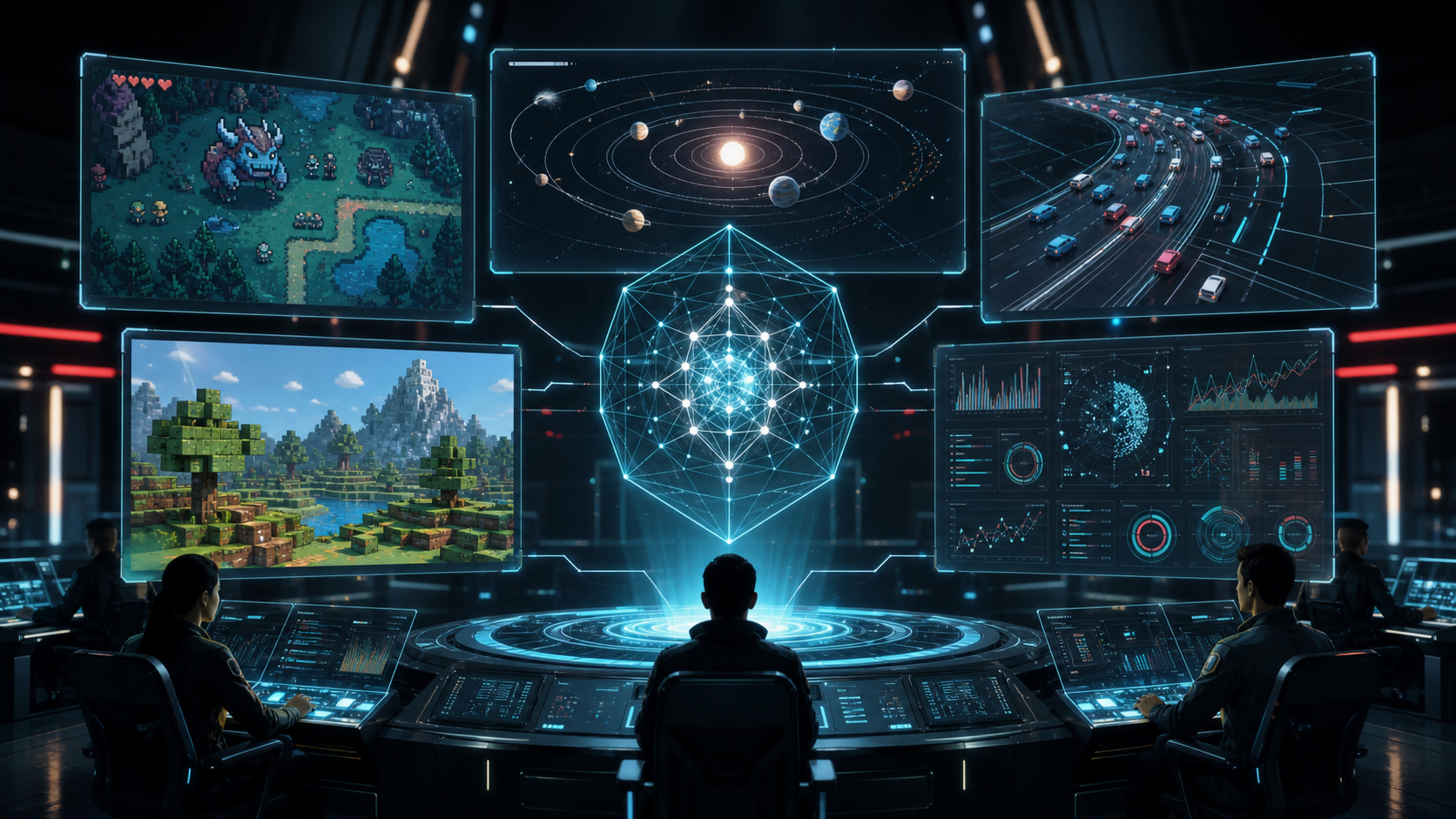
Google officially unveiled Gemini Omni Flash at I/O 2026 on May 19 — the first native video generation model with true multimodal input. We break down the official announcement, model capabilities, early industry testing, and what this means for creators.
1. The Official Announcement: What Got Released
In the early hours of May 20, 2026 (Beijing time), Google I/O 2026 kicked off. Among a flurry of AI announcements, Gemini Omni Flash stood out — a brand-new video model in the Gemini family, and this time it's not a concept demo. It's a real, live product launch, accessible through the Gemini app, Google Flow, YouTube Shorts, and YouTube Create.
Google's positioning is crystal clear: "our first step towards a model that can create anything from anything — starting with video." You can use text, images, audio, or even existing video footage as input, and the model generates high-resolution video with synchronized audio output.
🔥 The Four Official Highlights
Based on what Google shared at launch, here's where Omni really differentiates:
🧠 Physics Understanding × World Knowledge: From Photorealism to Meaningful Narrative
Omni combines stronger physics understanding with Gemini's existing knowledge across history, biology, and culture. Actions have consequences. Environments respond to events. Narrative logic unfolds naturally. This isn't just "frame generation" — it's simulating a video world that thinks.
🎭 Character Consistency: Define Once, Use Everywhere
Define a character once, then drop them into any scene. Across locations, lighting conditions, and actions — the character stays consistent. This is potentially game-changing for serial content creators.
🎨 Reference-Driven Input: Define Style with Images or Language
Feed in reference images or video clips as style inputs, or describe the visual motion and effects you want in natural language. You can even use your own footage as input and let Omni reinterpret the movement and scenes.
🪄 Real-Time Environment Transformation
Change environments, add new objects, create entirely unexpected content — all through conversation.
Release Timeline
| Date | Milestone |
|---|---|
| 📅 May 19, 2026 | Official unveiling at Google I/O 2026. Gemini Omni Flash announced as the first video model in the Omni family |
| 🚀 Launch day | Google AI Plus, Pro, and Ultra subscribers can access via Gemini App and Flow (rolling out by tier and region) |
| 🔜 Coming soon | Developer / Enterprise API access — model ID, pricing, quotas, and content policy details expected in the coming weeks |
💡 FastMoroAI Take
Unlike Google's past pattern of "show a video but never ship," Omni Flash opened to subscribers immediately. That's a strong signal — Google is accelerating in the AI video race.
2. Gemini Omni Flash Model Card: Capabilities & Limitations
The official model card (deepmind.google) provides relatively detailed technical specs. Here's what matters most:
📊 Model Specs at a Glance
| Category | Details |
|---|---|
| Architecture | Transformer (native multimodal) |
| Output | High-resolution video + audio |
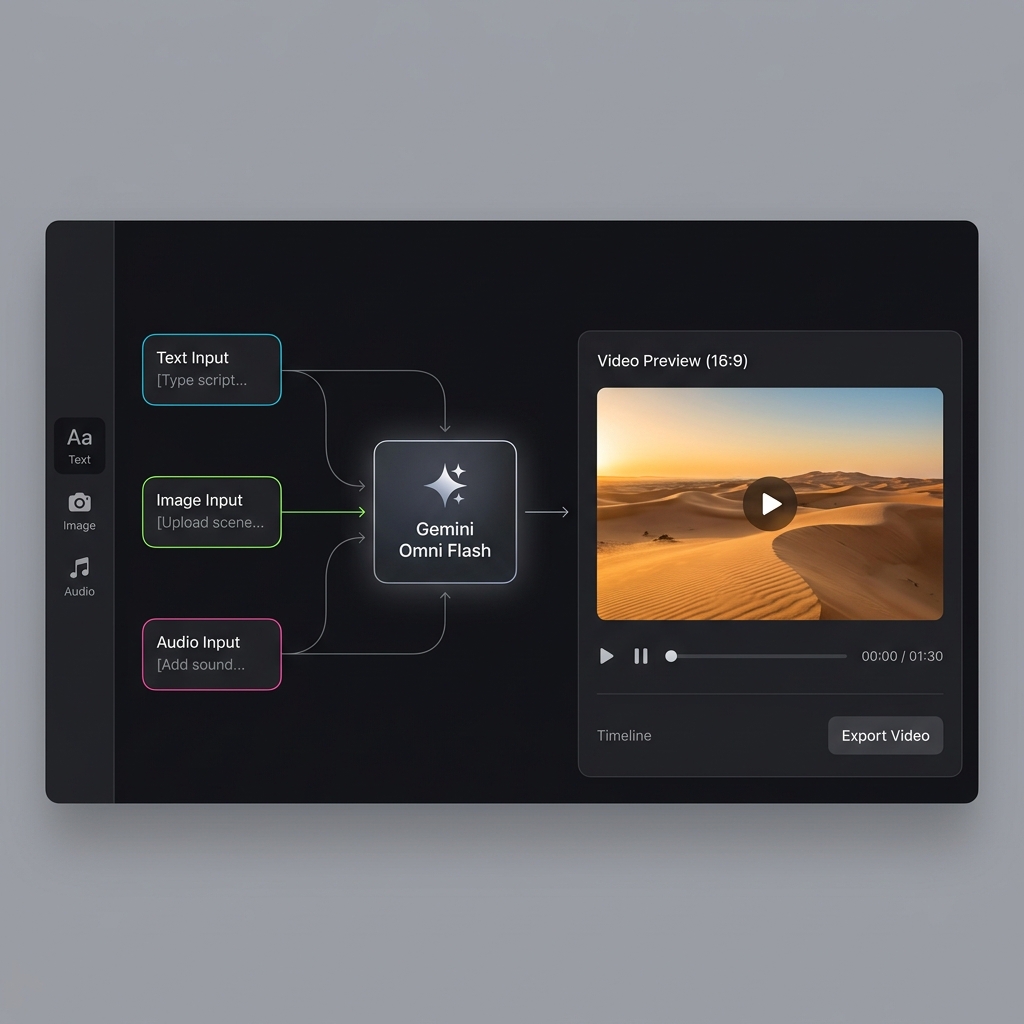
| Input Types | Text / Image / Audio / Video (mixed input) |
| Core Workflow | Conversational multi-turn video editing |
| World Knowledge Integration | History / Science / Culture / Physics / Narrative |
| Google-Labeled Improvement Areas | Multi-turn editing consistency, complex motion performance — Google explicitly notes these in the model card, demonstrating engineering transparency |
✨ Five Core Capabilities
🎬 Mixed-Input Creation
This isn't just text-to-video. Sketches, audio, video clips, reference images — all can drive creation together. This is Omni's biggest differentiator from other models.
💬 Conversational Editing
Generate a base scene, then tweak camera angles, style, or motion with natural language — no starting from scratch. Conversational editing is the core workflow, not an add-on.
🧠 World-Knowledge-Powered
Leverages Gemini's knowledge base for historical reconstructions, scientific visualizations, cultural narratives, and other complex themes. This is an advantage no other pure video generation model currently has.
🎭 Cross-Scene Character Consistency
Official claim: define a character once, place them in any scene, and they stay consistent. Location, lighting, and motion changes don't break the character. This matters enormously for serial content.
🪄 Real-Time Environment Transformation & Reference Input
Upload a reference image or clip, and Omni can apply its style, motion, or effects. Or simply change the entire scene environment and add objects through conversation.
💡 The model card shows Google is playing this straight — they explicitly flag multi-turn editing consistency and complex motion as areas still being optimized. For creators, knowing the real boundaries of a model is more valuable than buying into "all-capable" marketing.
3. Gemini Omni vs. Veo: Replacement or Coexistence?
The instant Google announces a new video model, the first question everyone asks: "Is Veo dead?" Short answer: No. These are independent model series with distinctly different positioning.
"Gemini Omni is a creative assistant. Veo is a cinematic generation engine. One is built for interactive workflows; the other for high-fidelity visual quality."
Head-to-Head
| Dimension | Gemini Omni Flash | Veo Series |
|---|---|---|
| Positioning | Native creative model with multimodal mixed input, focused on video creation & editing | Google's dedicated video model, focused on cinematic-quality generation (with audio) |
| Primary Workflow | Conversational video creation with multi-turn editing | Prompt-driven generation within Google's ecosystem |
| Input Emphasis | Text + Image + Audio + Video references (mixed) | Text and image (varies by platform) |
| Differentiation | Multi-turn editing, reference assets, world knowledge, mixed-input synthesis | Cinematic generation quality, native audio, existing API/product integrations |
| API Status | Coming soon (announced) | Developer interface documented and available |
⚠️ Practical advice: Don't pick sides yet. If you have a Gemini subscription, experiment with Omni. If you need a stable API pipeline, Veo is still the more mature option.
4. Prompt Engineering Guide: How to Get the Most Out of Omni
Google's official prompt guide (deepmind.google) offers structured advice. Based on our analysis and optimization, here are the seven essential elements — miss one, and results may suffer noticeably.
The Seven-Element Framework
| # | Element | Description |
|---|---|---|
| 🖼️ 1 | Define the Frame | Wide shot, close-up, over-the-shoulder, macro, locked-off — establish your visual language first |
| 🎥 2 | Camera Behavior | Push in, orbit, tilt up, zoom, handheld — describe how the camera moves |
| 🌈 3 | Visual Language | Style + lighting + setting working together, e.g. "photorealistic product ad under warm desk lamp" |
| 🏃 4 | Define Motion | Who's moving? What must stay still? Be explicit about what changes and what doesn't |
| 🔡 5 | Text Handling | Specify exact text content, placement, and whether additional text is allowed |
| 🔊 6 | Audio Handling | Ambient sound, music, SFX, beat-sync, or silence — spell it out |
| ✏️ 7 | Precision Editing | Always clarify both "what to change" AND "what to keep" — this is how conversational editing actually works |
💡 Key technique: Editing prompts need to specify both what changes and what stays the same. Same character, same room, same sequence — but swap the object/angle/style. List the preserved elements explicitly, and conversational editing becomes genuinely useful.
5. Early Testing Observations: Three Evaluations from PixVerse
⚠️ Important disclaimer: The following three test scenarios and results come from a PixVerse blog review published May 20. PixVerse is a competing platform in the AI video generation space, and their evaluation perspective may carry bias. FastMoroAI has not conducted independent testing. We present the original review findings as-is, with our own analysis noted alongside.
PixVerse designed three representative test scenarios spanning cinematic narrative, knowledge visualization, and social short-form video. Here's what happened:
🎬 Test 1: Cinematic Camera & Continuous Shot Consistency
Goal: Evaluate composite performance on camera movement, subject consistency, lighting contrast, object stability, and scene continuity.
Create a 10-second 16:9 cinematic video in one continuous shot.
A young product designer sits at a small desk beside a rainy window,
opens a sketchbook, and a compact silver drone design rises from the page
as a realistic hologram. The camera starts as a close-up on the pencil tip,
slowly pulls back to a medium shot, then gently orbits left as the hologram
rotates above the page. Warm desk lamp light, cool blue rain outside,
shallow depth of field, realistic hand motion, no subtitles, no logos,
natural room ambience only.
🎯 Test focus: Push-in shot / subject consistency / warm-cool light contrast / object stability / narrative coherence
PixVerse Test Report:
| Dimension | Result |
|---|---|
| ✅ Strengths | Strong atmosphere — warm-cool light contrast, hand motion, shallow depth of field all performed well. Emotionally coherent. |
| ⚠️ Feedback | The drone hologram "reveal moment" didn't fully land as expected |
🎙️ FastMoroAI Analysis: This kind of cinematic narrative scene plays directly to Omni's strengths. The official emphasis on "physics understanding" and "world knowledge" is on full display here. The coherent warm-cool lighting and smooth camera movement suggest Omni's underlying physics simulation has reached a genuinely high level.
🧪 Test 2: World Knowledge Explainer — Classical vs. Quantum Computing
Goal: Test the model's ability to translate abstract concepts into visual logic, and verify whether negative constraints ("no human hands") are respected.
Create a 10-second educational explainer video about the difference between
classical computing and quantum computing. Use a tactile stop-motion paper-craft
style on a dark tabletop. Show a single classical bit as a small paper switch
flipping between 0 and 1, then show a qubit as a glowing paper coin spinning
with both states implied before measurement. Use clear visual metaphors,
accurate motion, soft overhead light, no human hands, no voiceover,
no on-screen text except the exact labels "bit" and "qubit" placed beside the objects.
🎯 Test focus: Concept visualization / constrained text management / negative constraint compliance
PixVerse Test Report:
| Dimension | Result |
|---|---|
| ✅ Strengths | The most conceptually successful test. "bit" and "qubit" labels were readable. Paper-craft style matched well. Visual metaphors were clear. |
| ⚠️ Feedback | The prompt specified "no human hands," but hands appeared in the output (negative constraint not fully honored) |
🎙️ FastMoroAI Analysis: A noteworthy detail — PixVerse's own report explicitly states the "bit" and "qubit" labels were readable. This means Omni's text rendering isn't "completely unusable." For concept visualization scenarios with limited text, performance is at least at a usable level. Negative constraint accuracy is a valid concern, but this kind of issue is common in newly released models.
🖋️ Test 3: Text-Rhythm Social Short Video
Goal: Test typography precision, beat-sync control, widescreen layout stability, and adherence to exact text constraints.
Create a 9-second horizontal 16:9 social video for an AI video creation tip.
A clean black studio background with a floating glass timeline interface
stretched across the frame. Each word appears one at a time in perfect rhythm
with soft electronic clicks: "prompt", "reference", "motion", "lighting", "sound".
Each word has a different tasteful animation style, but the timeline and camera
stay stable. End with all five words arranged as a neat widescreen checklist.
High contrast, crisp typography, no extra words, no brand names.
🎯 Test focus: Typography precision / timing control / widescreen layout / text constraint adherence
PixVerse Test Report:
| Dimension | Result |
|---|---|
| ✅ Strengths | The glass timeline interface and widescreen composition were visually impressive |
| ⚠️ Feedback | Some precise words appeared distorted or showed fragmented text artifacts (Note: this was a day-one test result from initial release) |
🎙️ FastMoroAI Analysis: This is the most extreme constraint test of the three — five independent words appearing sequentially with precise timing and zero tolerance for error. For any newly released video model, this is stress-test territory. Given that Test 2 already demonstrated Omni can handle limited text reasonably well, we'd suggest waiting for the model to stabilize before drawing conclusions about its ceiling in this dimension.
6. Overall Assessment: What We Know vs. What's Unverified
Drawing from official announcements, the model card, and the limited early third-party testing available, here's our evidence-based assessment:
✅ Omni's Confirmed Strengths (Source: Official Announcement & Model Card)
- Physics Understanding × Semantic Intelligence: Not simple pixel prediction — the model understands causality, environmental interaction, and narrative logic
- Cross-Scene Character Consistency: Define a character once, reuse across scenes — something most current video models cannot do
- Real-Time Environment Transformation: Change scenes, add objects, reconfigure visuals — all through conversation
- Reference-Driven Input: Images, video, and audio all usable as style and motion reference sources
- World Knowledge Integration: Gemini's knowledge base across history, science, and culture directly powers content creation
- Conversational Iterative Editing: Multi-turn editing preserves context for progressive refinement
🔍 Areas Awaiting Further Verification (Source: Early Third-Party Testing — Not Conclusive)
- Subject consistency after multi-turn editing: Google's model card honestly flags this as an area of active optimization
- Precise control over complex motion trajectories: Also listed by Google as an area for improvement
- Performance under extreme constraints: Model behavior under strict negative constraints or maximum typography demands still needs independent verification
💡 Key takeaway: Omni's core competitive advantage isn't "perfect performance in every dimension" — it's that it brings capabilities no other video generation model has: physics understanding, character consistency, and world-knowledge-driven creation. These are genuine differentiation points, not incremental improvements on existing paradigms.
⚠️ A note on text rendering: Some early third-party reviews raised text rendering concerns, yet in the same evaluations, "bit"/"qubit" labels were considered readable. Google has not listed text rendering as a known limitation. We believe it's too early to draw firm conclusions — more independent testing is needed.
7. Should You Jump In Now? Advice for Creators
The short answer: If you have access, yes — start experimenting now. But don't bet your production roadmap on an API that hasn't launched yet.
✅ Scenarios Worth Trying Now
- You already have a Google AI Plus / Pro / Ultra subscription
- You want to test conversational video editing workflows
- Mixed-reference creation (image + audio + video input)
- Educational content, social video, concept visualization
- Creator experimentation and iterative refinement
⚠️ Scenarios Worth Waiting For
- Building production workflows around an API (API not yet available)
- Needing stable quotas, pricing, or regional policy details
- Scenarios with extremely demanding multi-turn editing consistency requirements
- Commercial use cases with strict SLA requirements on model behavior
"The best strategy is a multi-model parallel workflow: Gemini Omni for experimentation within Google's ecosystem; other platforms (like FastMoroAI) for accessible video generation and stable API pipelines. Run the same creative briefs across models and compare outputs — that's how you find what works best for you."
⚡ Want to Try AI Video Generation with FastMoroAI?
Integrated with GPT Image 2, Image to Live, and multiple mainstream AI video/image models — supporting mixed text-and-image generation workflows, ready to use out of the box.
8. FAQ
Q: Is Gemini Omni Flash available now?
A: Yes — officially released May 19, 2026. Google AI Plus, Pro, and Ultra subscribers can access it through the Gemini app and Google Flow, rolling out by tier and region.
Q: Are Gemini Omni and Veo the same model?
A: No. They are independent model series — Omni focuses on conversational multimodal creation, Veo focuses on cinematic-quality video generation. Think of one as a "creative assistant," the other as a "film engine."
Q: Can I edit videos through conversation?
A: That's Omni's core feature. After generating a base scene, you can tweak camera angles, style, objects, and motion with natural language instructions — the model preserves the original content while making localized edits.
Q: When will the developer API be available?
A: Google has announced a developer/enterprise API is coming, but specific model IDs, pricing, quotas, and content policy details haven't been released yet. Expect more information in the coming weeks — keep an eye on official channels.
Q: What's Omni's biggest limitation?
A: Per Google's official model card, subject consistency after multi-turn editing and complex motion trajectories are areas still being optimized. Independent testing data is currently limited, so we recommend monitoring official updates. Existing public information should not be taken as conclusive judgment.
Q: Does it support audio?
A: Yes. You can input audio files as references, and output videos include synchronized audio tracks.
References
- Google Official Announcement:
blog.google/innovation-and-ai/models-and-research/gemini-models/gemini-omni/ - Gemini Omni Flash Model Card:
deepmind.google/models/model-cards/gemini-omni-flash/ - Official Prompt Guide:
deepmind.google/models/gemini-omni/prompt-guide/ - Source Reference: PixVerse Blog — Gemini Omni Flash Official Release and Prompt Guide
Published by FastMoroAI · May 21, 2026
Content synthesized from Google's official announcement, model card documentation, and publicly available third-party reviews. PixVerse test results are for reference only and do not represent FastMoroAI's independent testing conclusions. For updates, refer to official Google announcements.